macOS menu bar translator
Translate selected text from anywhere on your Mac
Select text in any app, open Translate Bar from the menu bar or press ⌥⌘T, and get instant translations with optional AI tone control.
macOS 15+100+ languagesMenu bar nativePrivacy-first
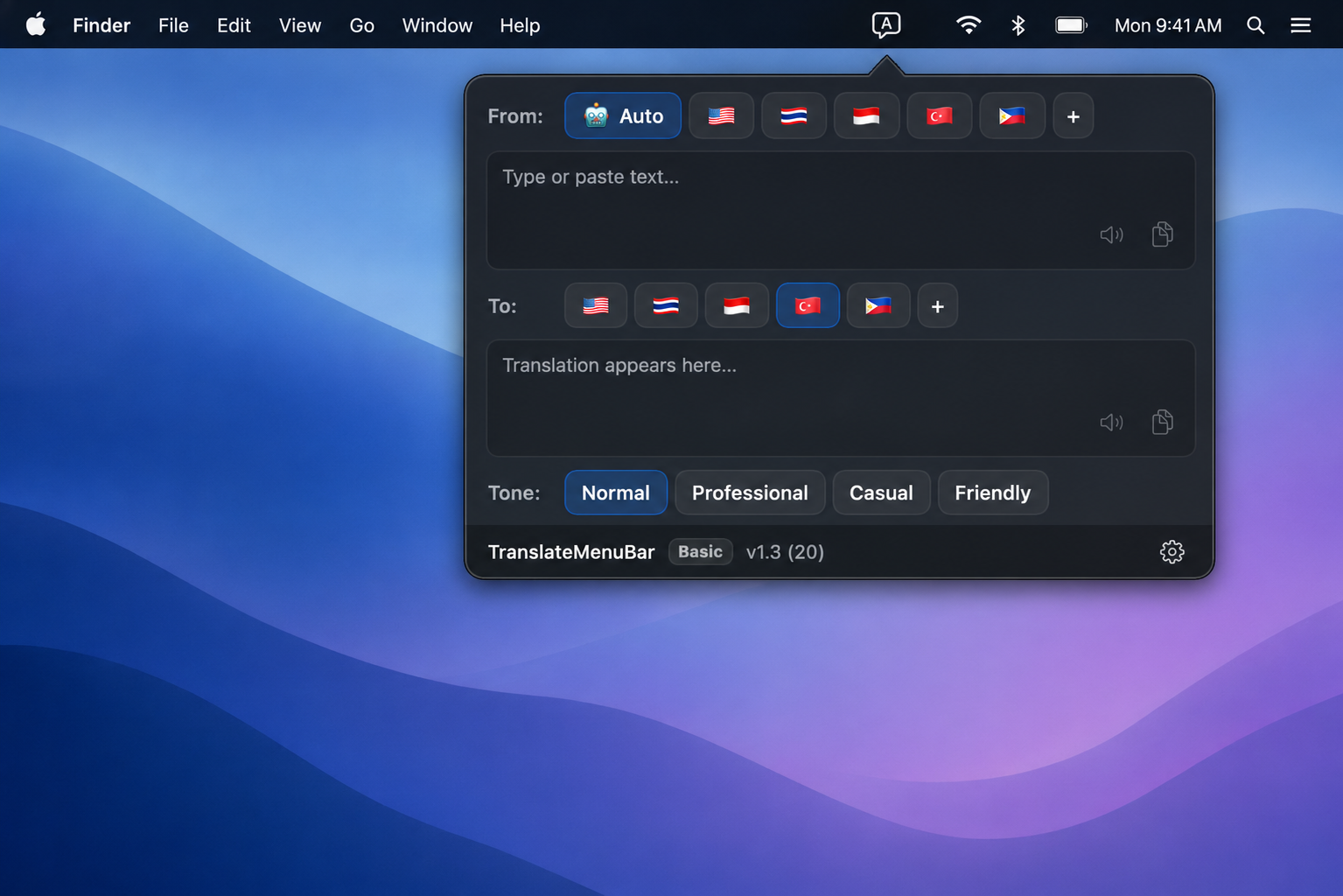
Built for everyday translation
A focused menu bar workflow — select, translate, copy, or listen without leaving your app.
Copy translations to clipboard in one tap
How it works
Three steps. No context switching.
01
Select text
Highlight text in any app — the menu bar icon lights up when a selection is detected.
02
Open Translate Bar
Click the menu bar icon or press ⌥⌘T to open the translation popover.
03
Read, copy, or listen
View the translation, switch languages, pick a tone (Pro), speak aloud, or copy the result.
Basic or Pro
Start free with Google Translate, or unlock AI-powered tone translation with Pro.
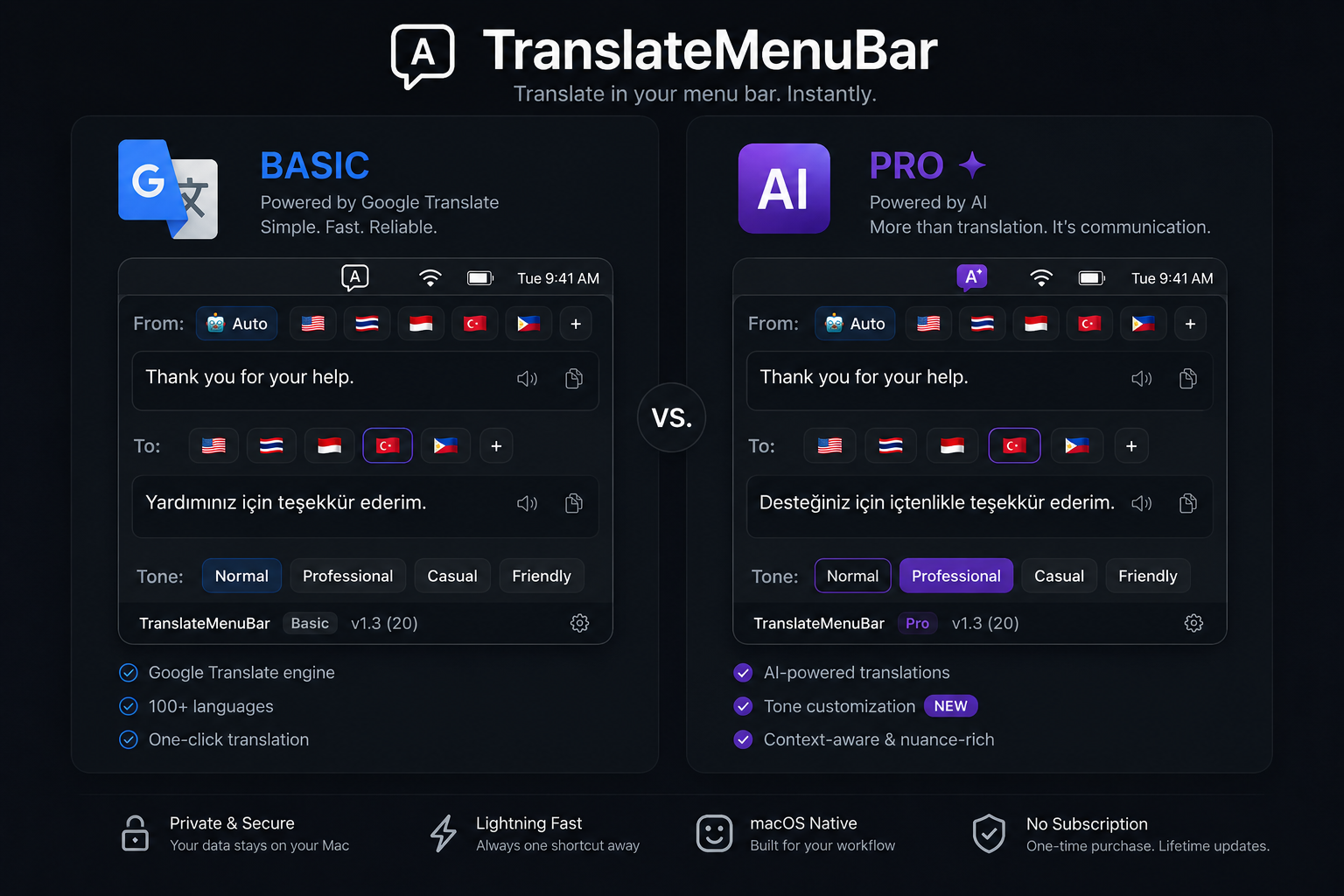
Basic uses free Google Translate. Pro uses authenticated AI translation via GPT — tones included.
FAQ
Common questions about TranslateMenuBar.
TranslateMenuBar requires macOS 15.0 or later.
TranslateMenuBar reads the text you have selected in other apps so it can translate when you open the menu bar popover. You can still type or paste text manually if selection access is unavailable.
Yes. Translations are requested over HTTPS — Google Translate for Basic, and AI translation for Pro.
Basic uses free Google Translate with the Normal tone. Pro uses AI (GPT) translation with Professional, Casual, and Friendly tones. Pro requires email sign-in.
macOS download is coming soon. Join the waitlist by checking back — App Store and direct download links will appear here when ready.